A town hall's first live stream: what to prepare beforehand
If your town hall is about to go live for the first time, most of the work happens before the broadcast: what goes out, how the room sounds and what if something fails.
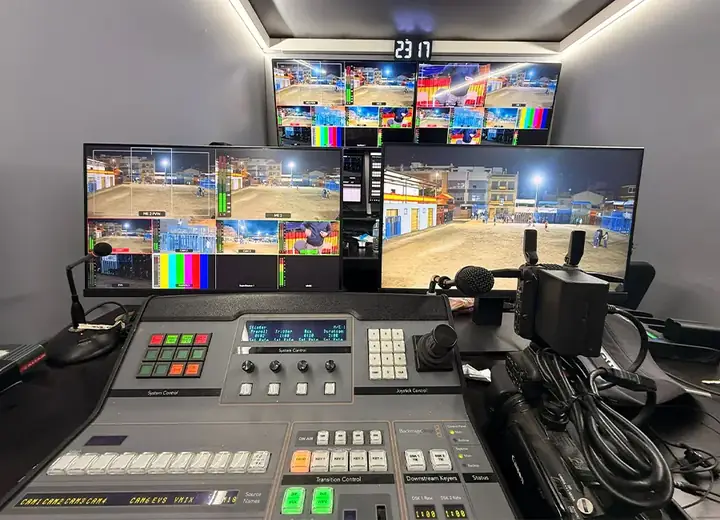
When a town hall starts live streaming, people tend to think about the camera first. That's natural, but the camera is the least of it. When we set up a live broadcast for a public body, what decides whether it goes well gets sorted out days earlier: what is broadcast, how the room sounds, how the signal gets out, and what we do if something goes wrong.
This is the checklist we go through with anyone facing their first live event.
1. Decide what goes out and for whom
A council plenary session is not an awards ceremony or a town fiesta. Decide whether you broadcast the whole event or just part of it, where people will watch it (the council website, social media, a local TV channel) and whether it will be available afterwards. Also check, with the right person inside the council, whether there are moments or people who should not appear on screen. It is far better to settle this beforehand than to improvise once you are live.
2. Walk the room with whoever will direct
A site visit saves more trouble than any extra equipment. Look at:
- Where the cameras can go without blocking anyone or bothering the audience.
- What the light is like, and what the windows do at the time of the event.
- Where the audio comes from: the room's PA, the table microphones, the lectern.
- Where the production gallery (or outside broadcast unit) will be set up and where the cables will run.
3. Sound comes before picture
Viewers forgive a simple picture, but not being unable to understand what is being said. If the room has a PA system, the usual approach is to take the audio from its mixing desk rather than put a microphone in front of a loudspeaker. Ask who operates it and let them know there will be a live broadcast. At an event with lots of speakers, making sure everyone talks into the microphone is half the quality of the broadcast.
4. Connection and a plan B
Don't assume the room's wifi is fine just because it "works". The signal has to leave through a connection we know will hold, and it helps to have a second route in case the first one fails. Test in the same place at the same time of day as the event, because a public building's network doesn't behave the same at nine in the morning as in the late afternoon.
Agree in advance what happens if the stream drops: what message is shown, who gives the warning and how you resume. And if you can, always record locally, so that even if the live feed falls over, the event is still captured.
5. Make sure the people on stage know they are live
Whoever chairs the event, whoever presents and the room staff should know where the cameras are, when the broadcast starts and what to avoid (speaking with their back to the microphone, getting up in the middle of a speech). Five minutes of briefing before the start is enough. If the event has a host, a script with approximate timings is a big help to the director.
6. Rehearse, and think about afterwards
Run a dress rehearsal with everything connected, even a short one. It's when you find the problem nobody had foreseen, and there is always one.
And remember the live broadcast doesn't end when the event does. Think about where the recording will live, under what stable link, and how you will tell residents about it: if they don't know where to watch, all that preparation is wasted. For a council session, the most useful thing is being able to find each agenda item afterwards without watching three hours straight.
Is your town hall ready to go live? Get in touch, tell us what the event is and we'll work out together what is needed.